Specular shine

Discussion of rolling-stock creation & re-painting.

Specular shine

Unread postby aksingha » Sat Dec 27, 2014 2:11 pm

Hi,
i am trying to get some specular shine on my loco model, but the results are not very good. I have tried before, got help from some members too, followed some related threads but i still have some issues.
Well i have used "TrainBumpSpecEnvMask.fx" and as per requirement used a diffuse texture with alpha, normalMap and again the diffuse map(without alpha, don't know if that matters) in the third slot, also used a 64x64 full black. Then set the MIPLoadBias to -2, and used 16,32 and 64 in the first slot of UV arguments, with no significant results.
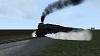
Now the problem is the specular shine level does not seem to be affected even after changing the alpha channels color and also the specular texture seems pixelated. Below is a pic. So, can anyone please guide me how to get the required results. I need to cut down the specular level a bit more.
Image
aksingha
 
Posts: 197
Joined: Thu Apr 10, 2014 9:25 am

Re: Specular shine

Unread postby buzz456 » Sat Dec 27, 2014 4:23 pm

When I get this I use DXTBmp to just keep adding darker gray alpha channel and then convert back to the DDS until that goes away.
Buzz
39 and holding.
"Some people find fault like there's a reward for it."- Zig Ziglar
"If you can dream it you can do it."- Walt Disney
Image
User avatar
buzz456
Site Admin
 
Posts: 21263
Joined: Sun Mar 21, 2010 8:30 am
Location: SW Florida

Re: Specular shine

Unread postby aksingha » Sat Dec 27, 2014 4:56 pm

buzz456 wrote:When I get this I use DXTBmp to just keep adding darker gray alpha channel and then convert back to the DDS until that goes away.

I have never come accross DXTBmp, can you please tell me how to implement this in the texture.
aksingha
 
Posts: 197
Joined: Thu Apr 10, 2014 9:25 am

Re: Specular shine

Unread postby buzz456 » Sat Dec 27, 2014 9:22 pm

http://dxtbmp.software.informer.com/4.0/

You can take any bmp file open it here and add a alpha of your creation, then save it as a dds. When you set it up it asks you what you want to use as a editor however you can import any bmp file. I can't remember if it come with any instructions but holler if you need more info.
Buzz
39 and holding.
"Some people find fault like there's a reward for it."- Zig Ziglar
"If you can dream it you can do it."- Walt Disney
Image
User avatar
buzz456
Site Admin
 
Posts: 21263
Joined: Sun Mar 21, 2010 8:30 am
Location: SW Florida

Re: Specular shine

Unread postby Bananarama » Sun Dec 28, 2014 7:23 am

The above is due to image compression. Rename your export file with a "_nm.dds", asign in Max editor, export from Max, then export to the sim. The problem should vanish. I don't usually recommend uncompressed format unless where warranted (problematic textures, glass and normal maps).
Cheers!
Marc - 3DTrains

Image
User avatar
Bananarama
 
Posts: 2749
Joined: Sat Feb 14, 2009 1:17 am
Location: Another Planet

Re: Specular shine

Unread postby aksingha » Sun Dec 28, 2014 9:01 am

Hack wrote:The above is due to image compression. Rename your export file with a "_nm.dds", asign in Max editor, export from Max, then export to the sim. The problem should vanish. I don't usually recommend uncompressed format unless where warranted (problematic textures, glass and normal maps).

I am using .ace format. And the texture files have "_nm" added. One of my friends tested it in TS2014 and it is fine, except for the specular shine level.The pixelation problem is not happening in ts2014.
aksingha
 
Posts: 197
Joined: Thu Apr 10, 2014 9:25 am

Re: Specular shine

Unread postby aksingha » Sun Dec 28, 2014 9:09 am

buzz456 wrote:http://dxtbmp.software.informer.com/4.0/

You can take any bmp file open it here and add a alpha of your creation, then save it as a dds. When you set it up it asks you what you want to use as a editor however you can import any bmp file. I can't remember if it come with any instructions but holler if you need more info.

I added a black alpha layer, but it made the squares bigger in size. I am sure i am not doing it right. But the problem is not there in TS2014.
aksingha
 
Posts: 197
Joined: Thu Apr 10, 2014 9:25 am

Re: Specular shine

Unread postby Bananarama » Sun Dec 28, 2014 5:03 pm

aksingha wrote:
Hack wrote:The above is due to image compression. Rename your export file with a "_nm.dds", asign in Max editor, export from Max, then export to the sim. The problem should vanish. I don't usually recommend uncompressed format unless where warranted (problematic textures, glass and normal maps).

I am using .ace format. And the texture files have "_nm" added. One of my friends tested it in TS2014 and it is fine, except for the specular shine level.The pixelation problem is not happening in ts2014.

It's possible that something changed in the shaders used in-game.
Cheers!
Marc - 3DTrains

Image
User avatar
Bananarama
 
Posts: 2749
Joined: Sat Feb 14, 2009 1:17 am
Location: Another Planet


Return to Rolling-Stock Design

Who is online

Users browsing this forum: No registered users and 3 guests