Touchscreen Controller

Discussion about computers: Hardware, Problems, etc.

Touchscreen Controller

Unread postby McClusky » Fri Aug 02, 2013 10:52 am

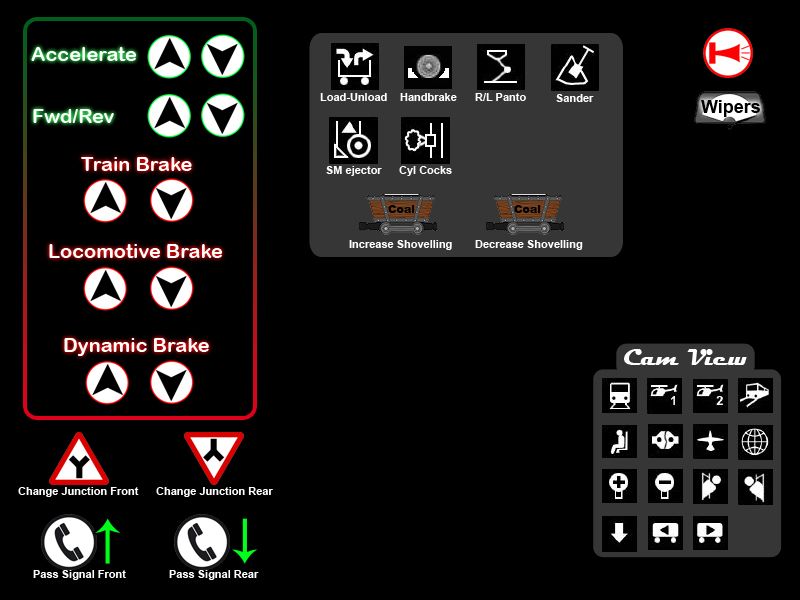
I thought I’d share the progress I made with my Touchbuddy profile to be used on a touchscreen (edit: it will run on a separate, dedicated touchscreen monitor used as a controller). For those who do not know what TouchBuddy is, it's an app that runs on your pc or “server” and you map keyboard strokes to icons in the TB overlay/profile (the pic below).

Since I’m a total newbie in TS2013 I might have to make changes when I get more experience with the trains.

If anyone is interested I will share the TB profile once it is complete.

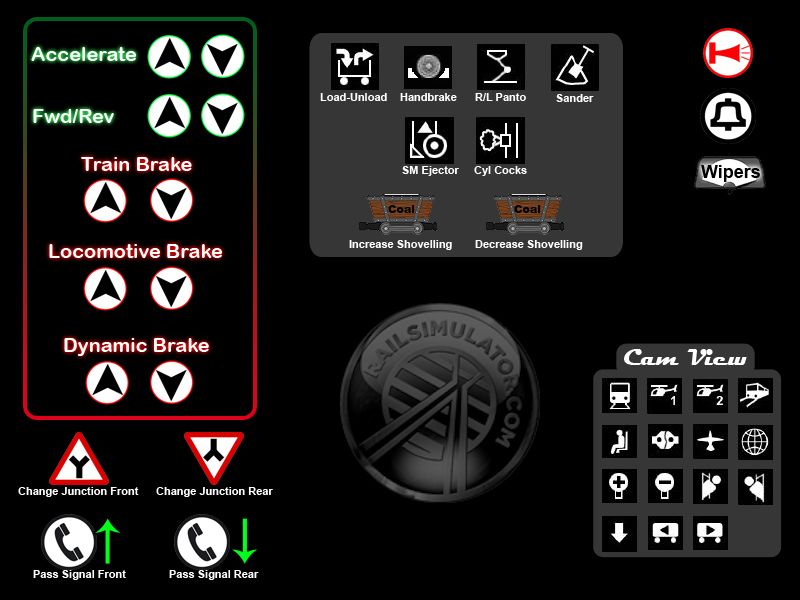
Edit: Updated TB profile (added the Bell and a few other icons, it still needs work though)
Image
Last edited by McClusky on Fri Aug 02, 2013 9:23 pm, edited 6 times in total.

McClusky
 

Re: Touchscreen Controller

Unread postby BNSFdude » Fri Aug 02, 2013 11:00 am

McClusky wrote:I thought I’d share the progress I made with my touchscreen controller overlay to use with TouchBuddy and my touchscreen for TS2013. For those who do not know TouchBuddy is an app that runs on your pc or “server” and you map keyboard strokes to the icons in the overlay. Since I’m a total newbie in TS2013 I might have to make changes when I get more experience with the trains.

If anyone is interested I will share the overlay/profile once it is complete.

Image

Seems you're missing the bell! But thats really cool! I may run this on my Lenovo Yoga 11S when I'm feeling lazy!
Anthony Wood
Audio Engineer - Searchlight Simulations
User avatar
BNSFdude
 
Posts: 2721
Joined: Tue Nov 29, 2011 1:46 am

Re: Touchscreen Controller

Unread postby _o_OOOO_oo-Kanawha » Fri Aug 02, 2013 12:12 pm

Is this a permanent overlay over your screen? Do you need to "tap" these "buttons"?

Wouldn't it be good to overlay the F4 HUD with your touch screen controls? So you can "touch" the HUD, seems less intrusive and more intuitive to me. But that will only work if you are allowed to "swipe" the throttle or brake up and down.

I like the idea of touch screens on tablets and smartphones, but I am not sure about full size desktop displays.
Fingerprints and smears spoil it for me. And I don't like those high gloss displays in the first place.
Edwin "Kanawha"
Image
The Chessie, the train that never was ... (6000 hp Baldwin-Westinghouse steam turbine electric)
User avatar
_o_OOOO_oo-Kanawha
 
Posts: 3231
Joined: Mon Nov 14, 2011 2:12 pm

Re: Touchscreen Controller

Unread postby McClusky » Fri Aug 02, 2013 12:22 pm

BNSFdude wrote:Seems you're missing the bell!


I sure did and there's a few more things I need to add like an icon for the Emergency brake, Injector control and Damper/Blower control. Right now I have the layout in photoshop so I need to transfer it all to touchbuddy. I like touchbuddy but it's a pain to create these overlays/profiles.

Also it doesn't have to run on a touchscreen it will work on a LCD/CTR too, you would then use a mouse to click on the icons.
Last edited by McClusky on Fri Aug 02, 2013 12:33 pm, edited 1 time in total.
McClusky
 

Re: Touchscreen Controller

Unread postby McClusky » Fri Aug 02, 2013 12:32 pm

_o_OOOO_oo-Kanawha wrote:Is this a permanent overlay over your screen? Do you need to "tap" these "buttons"?

Wouldn't it be good to overlay the F4 HUD with your touch screen controls? So you can "touch" the HUD, seems less intrusive and more intuitive to me. But that will only work if you are allowed to "swipe" the throttle or brake up and down.

I like the idea of touch screens on tablets and smartphones, but I am not sure about full size desktop displays.
Fingerprints and smears spoil it for me. And I don't like those high gloss displays in the first place.


Sorry, I'll edit my original post to mention that it will be used on a separate 8" touchscreen monitor. Here's a video that shows touchbuddy in action http://www.youtube.com/watch?v=2Vi5-AUP0Uc
McClusky


Return to Geek Speak

Who is online

Users browsing this forum: No registered users and 4 guests