Montour Railroad Public Beta 2.0

Post your finished add-on release announcements here!

Montour Railroad Public Beta 2.0

Unread postby Rich_S » Mon Feb 27, 2012 7:40 am

Hello Group,
The second beta of the Montour railroad should be arriving in the file library soon. This beta reworks some of the trackage at Westland and Library. Basic scenery is now complete between Hills and West Mifflin and from Library Jct. to Library. For this beta I've uploaded the route as a rwp file. It is my understanding that if you cannot get the Package Manager to unpack the rwp file, you can rename the extension from rwp to rar and use WinRAR to unzip the file. At that point you will need to manually copy the contents to your ..\Steam\SteamApps\common\railworks\Content\Routes folder. The name of the Montour route folder is 888603ed-9e5c-46c0-885b-31ea62de0928 Glenn B. and myself have also been working on a few scenarios for the Mighty M, look for these in the near future :D

Regards,
Rich S.
Cheers,
Rich S.
User avatar
Rich_S
 
Posts: 708
Joined: Tue Aug 24, 2010 11:19 pm
Location: Baden, PA, USA

Re: Montour Railroad Public Beta 2.0

Unread postby krellnut » Mon Feb 27, 2012 9:03 am

Thanks for that, Rich. Great route, but its what I like to call the patience route on account of the speed limits.
krellnut
 

Re: Montour Railroad Public Beta 2.0

Unread postby Rich_S » Mon Feb 27, 2012 11:25 am

Hi Krellnut,
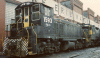
Yes, the Montour being a coal hauling railroad was more interested in tonnage than speed :D With the Montour's saw tooth profile, it can be a little bit of a challenge to try and keep a train at the posted speed limit. Since the Montour was a class 3 railroad that began falling on hard times, I've tried to simulate these hard times in the track texture used along with some misalignment of the track in general. The prototype Montour had a fleet of 12 SW9's that the railroad usually ran in 4 unit sets. They usually handled 60 to 70 empty hoppers to the mines and returned with 44 loads of coal for the prep-plant. I've been beta testing a scenario where you take 68 empties to the Westland mine with 4 SW1500's. It's pretty smooth sailing until you get to the Westland branch, at that point those units are down on their hands and knees trying to get those empties over that 1.9% grade :D Another point of operation on the Montour, all hoppers loaded at Library were backed up the grade to Library Jct. to keep the engines on the down hill side of the Library branches 2.5% grade between Library Jct. and the Library viaduct in case of a break away.

Anyone who'd like the run the Montour with prototype equipment, Michael (GreatNortherner) Stephan repainted 3 of Dick Cowen's SW1200's into the Montour scheme. These units along with a caboose Michael repainted for the Montour are found in the Rail Works 2 file library. After the P&LE take over of the Montour, the SW9's were replaced by some of the P&LE's SW1500's. My repaint of the P&LE SW1500's are found in the file library along with a repaint done by Thomas (TVRRMAN) Pearce of the default caboose into the Montour's modern caboose scheme.

Enjoy your trip over the Mighty M and let me know if you have any problems installing the route.


Regards,
Rich S.

Cheers,
Rich S.
User avatar
Rich_S
 
Posts: 708
Joined: Tue Aug 24, 2010 11:19 pm
Location: Baden, PA, USA

Re: Montour Railroad Public Beta 2.0

Unread postby craigk » Mon Feb 27, 2012 8:35 pm

I downloaded the Montour beta 2 and I love it as I did the first release. Little problem though and probably my fault. I am missing alot of track. One area is the free roam scenario and there is not track and other places elsewhere. If someone could point me in the right direction I would appreciate it.

Fan of the Montour,
Craig !!*ok*!!
craigk
 
Posts: 21
Joined: Sun Aug 29, 2010 8:39 pm
Location: Midwest

Re: Montour Railroad Public Beta 2.0

Unread postby craigk » Mon Feb 27, 2012 9:22 pm

Well I did what was suggested and changed the rwp file into a rar and then copied the assets folder into the railsimulator folder and over wrote everything and now I have track. Looks so much better on this nicely put together route. Now I will need to learn more in depth about creating scenarios.

Craig *!lol!*
craigk
 
Posts: 21
Joined: Sun Aug 29, 2010 8:39 pm
Location: Midwest

Re: Montour Railroad Public Beta 2.0

Unread postby glenn68 » Mon Feb 27, 2012 9:46 pm

RIch and I are trying to put together some scenarios (slowly on my end) that is based on actual events that occured every day on the Montour. I agree with Rich, there was alot of decent grades the Montour and the railroad had it figured out that every SW9 was capable to pull 11 loaded hoppers of coal. Westland mine was always set up to have 70 empties com in and 44 loads going out and if I can remember going out was a 2.3 percent grade. The P&LE took over and tried it with 2 GP38-2's without success, then found that properly tunned SW1500's could do the job.
I think the demise of the Montour was sad but due to certain events including Montour number 4 and Montour number 10 mines had flooded out and cut 2/3 of their traffic.

Glenn
User avatar
glenn68
 
Posts: 967
Joined: Mon Aug 09, 2010 1:21 pm

Re: Montour Railroad Public Beta 2.0

Unread postby jamesphh » Sat Mar 03, 2012 2:20 pm

Are you planning to add signaling to the Montour? A necessity to run AI.
However I believe it would be possible to use a "Warrent" system if RSC would make the necessary changes to the scenario editor, including a way to create "blocks" without signals.
jamesphh
 
Posts: 388
Joined: Fri Feb 13, 2009 2:28 pm

Re: Montour Railroad Public Beta 2.0

Unread postby Rich_S » Sat Mar 03, 2012 6:14 pm

jamesphh wrote:Are you planning to add signaling to the Montour? A necessity to run AI.
However I believe it would be possible to use a "Warrent" system if RSC would make the necessary changes to the scenario editor, including a way to create "blocks" without signals.


Hi James,
I have been kicking the idea around. The prototype Montour never had signals, but as you and Glenn have mentioned, AI traffic depends on signals. So I may go with all dwarf signals, to compliment the Montour's class 3 status. Another option I've been thinking about is adding standard mast signals, then sinking them into the ground to maintain the look of a dark railroad. It would have been nice if Rail Works supported Train Orders with the ability of placing some type of marker on the track that would control a meeting point, but since that is not the case I may have to signal the route. I may also go with the US&S R2 color light signals as they remind me of the signals that were used on the P&WV and the WM. Which ever option I choose, one thing for sure, I'll be using Jerry's signals as they all look great and I've had zero problems using his crossing signals !!*ok*!!

Regards,
Rich S.
Cheers,
Rich S.
User avatar
Rich_S
 
Posts: 708
Joined: Tue Aug 24, 2010 11:19 pm
Location: Baden, PA, USA

Re: Montour Railroad Public Beta 2.0

Unread postby jamesphh » Mon Mar 05, 2012 12:43 pm

Using a clone of the route I added Pike's CSX short signals at jcts and sidings only, dwarf's on siding exits. For variety used SMM USS CSX sigs on the p&LE connection and SMM Safetrans at the far end. The only issue with the US&S R2 is the lack of dwarfs and 3H multi link signals. All work well together.
One other thing is the track roughness. It seems a little excessive. Still very nice! Ops! one more thing are track markers. I would have to add track markers to try a std scenario + AI.
jamesphh
 
Posts: 388
Joined: Fri Feb 13, 2009 2:28 pm

Re: Montour Railroad Public Beta 2.0

Unread postby glenn68 » Mon Mar 05, 2012 3:14 pm

James,
The Montour was a very rough riding railroad. Somewhere there is a photo out there showing the track conditions, however they still pulled allot of tonnage at 15 mph.
I think Rich is thinking it over about signals, this will help with AI traffic. So far I made 3 scenarios for the Montour two based off typical operations and one ITR. Rich made the route I helped out with a few scenarios which I had Rich test and correct. I based my scenarios at the 1980 time frame when the P&LE took over and was using their SW1500's.
James I am glad to see someone else making up a scenarios for this route. Are you using default rolling stock?
What I was going by with my scnarios was using the following,
RSC sw1500
Justin Cornell's GP 38-2 (for the repaint dependencies)
Riches SW1500 P&LE repaints
Riches GP38-2 P&LE repaints
My Monongahella RR GP38-2 repaint
Michael Stephans NYC 70 ton hopper pack
Michael Stephans NYC 55 Ton Hopper Pack (not yet used)
Michael Stephans NYC offset side 70 ton pack.
My B&LE 70 ton Offset side repaint. (not yet used)
Montour steel caboose.
Most of it is here in the file library.


Glenn
User avatar
glenn68
 
Posts: 967
Joined: Mon Aug 09, 2010 1:21 pm

Re: Montour Railroad Public Beta 2.0

Unread postby Rich_S » Mon Mar 05, 2012 3:48 pm

jamesphh wrote: One other thing is the track roughness. It seems a little excessive. Still very nice! Ops! one more thing are track markers. I would have to add track markers to try a std scenario + AI.


Hi James,
The Montour suffered from years of deferred maintenance, one reason for it's 15 mph speed limit. In trying to create the route as accurately as possible, the cab sway is just about correct for the route. Even though this is not the Montour railroad, this was about the condition of the track: http://youtu.be/VtT2-FU6vSE

When it comes to markers, I agree with Tori's logic on siding markers. I've left them out, which will allow scenario creators to place markers and not be restricted by any markers I would have placed in the route editor. Hopefully when the route is completed, I'll try to make some type of map that lists the name if each siding and / or name of the industry on the siding.

Regards,
Rich S.
Cheers,
Rich S.
User avatar
Rich_S
 
Posts: 708
Joined: Tue Aug 24, 2010 11:19 pm
Location: Baden, PA, USA

Re: Montour Railroad Public Beta 2.0

Unread postby glenn68 » Mon Mar 05, 2012 5:48 pm

Rich, There is a few good maps on www.montourr.com under the maps section. I use two maps from there as some of my reference and some reference from your emails! LOL!
User avatar
glenn68
 
Posts: 967
Joined: Mon Aug 09, 2010 1:21 pm

Re: Montour Railroad Public Beta 2.0

Unread postby Rich_S » Mon Mar 05, 2012 6:37 pm

glenn68 wrote:Rich, There is a few good maps on http://www.montourrr.com under the maps section. I use two maps from there as some of my reference and some reference from your emails! LOL!


Hi Glenn,
I'm thinking more in terms of charts like the Conrail ZTS charts, done in the style like Craig Kawahara did for my L&HR routes. The chart would list the industries on a siding or at locations like Westland, the chart would indicate what track is the main track, front track and tipple track, along with the track numbers for the loaded yard. Hopefully creating a track chart in the style done by Craig will help scenario creators and people running the route that are not familiar with the Montour.

Regards,
Rich S.
Cheers,
Rich S.
User avatar
Rich_S
 
Posts: 708
Joined: Tue Aug 24, 2010 11:19 pm
Location: Baden, PA, USA

Re: Montour Railroad Public Beta 2.0

Unread postby glenn68 » Mon Mar 05, 2012 7:37 pm

Rich,
That is much better than what I have been using and probably my informative.

Glenn
User avatar
glenn68
 
Posts: 967
Joined: Mon Aug 09, 2010 1:21 pm

Re: Montour Railroad Public Beta 2.0

Unread postby harryadkins » Mon Mar 05, 2012 10:00 pm

Glenn,

Have you published your scenarios? If so, where? I sure would love to try them out.

Harry
User avatar
harryadkins
 
Posts: 3141
Joined: Sun Aug 23, 2009 8:01 am
Location: South Carolina, USA

Next

Return to Freeware Add-On Releases

Who is online

Users browsing this forum: No registered users and 2 guests

cron